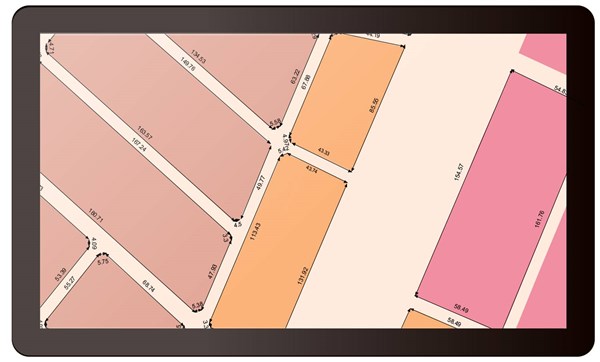
Additional notes can help maps to deliver information more precisely. For example, the text on maps will assist map readers to understand the name of different landscapes. Furthermore, if we put these texts in the right place, we can even optimize the visualization of maps. Since notes are also important in mapping, the latest Desktop GIS software developed by Supergeo, SuperGIS Desktop 10, will provide Mapnote Tool for enhancing the user experience of mapping. Users can deliberately adjust the position, angle, and style of text through the newly added features.
Large-scale maps can display detailed information of a particular region. Therefore, if we can add the distance between landscapes or the length of landscapes to the map, it will significantly help map readers to understand the real size of landscapes. In SuperGIS Desktop 10, users can utilize the new tool –Dimension Tool–to add distance information to the map with a few clicks, so that your large-scale maps are able to show more refined information.
With these new mapping tools of SuperGIS Desktop, we can effectively improve the quality of maps and convey the information to map readers more quickly.
Learn more about SuperGIS Desktop 10:
http://www.supergeotek.com/LandingPage_SGD10.aspx
Download and try Mapnote now:
http://www.supergeotek.com/download_6_desktop.aspx